Fixes might be blogged to help others — your data stays safe.
How to Remove Scratches from a Laptop Screen
Published: 1/8/2026
Efficiently Cleaning Scratches from Your Laptop Screen
To efficiently clean scratches from your laptop screen, start by assessing the scratch depth, then gently clean the screen with a soft cloth and approved solution. For minor marks, light polishing with appropriate products can reduce appearance, but avoid abrasive substances on delicate coated screens. For deeper scratches or cracks, consider professional repair or screen replacement.
Don't let scratches ruin your laptop's display — clarity matters.
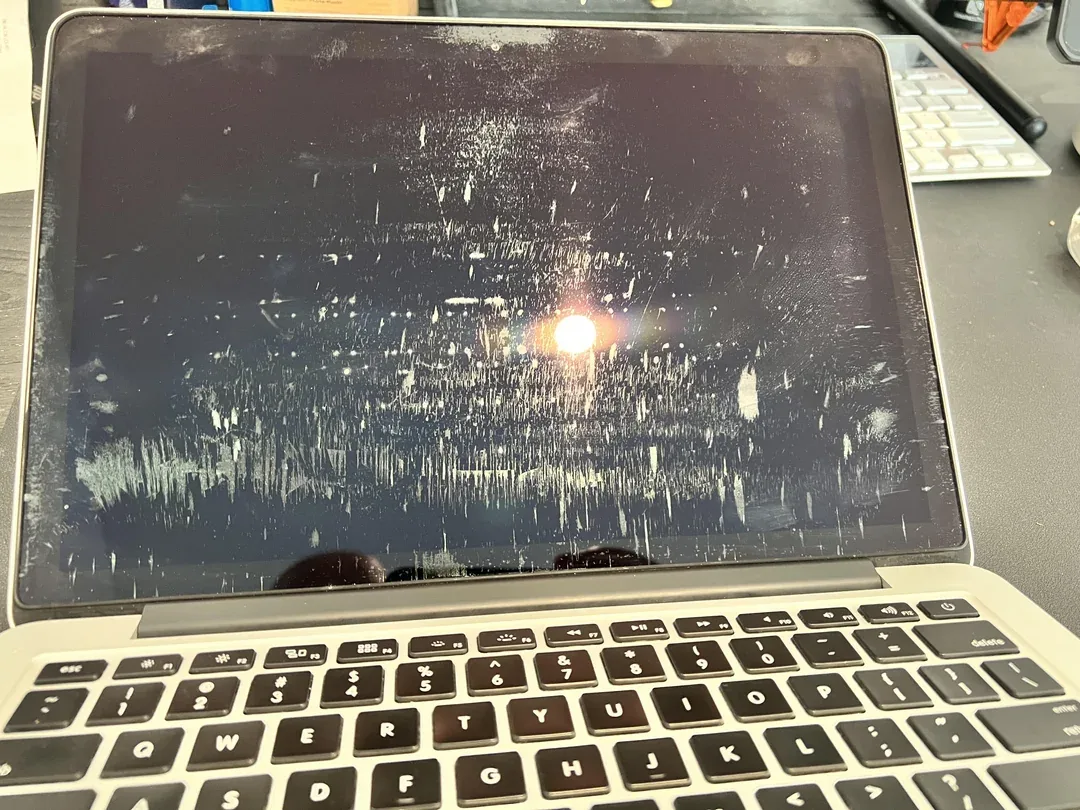
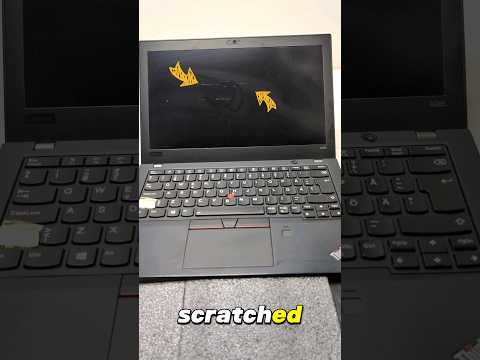
Laptop screens are delicate and easily marred by keys, zippers, dust, or even regular cleaning with the wrong materials. While not all scratches can be fully removed — especially deeper ones — many minor marks can be minimized with careful cleaning and polishing. In this guide, we’ll walk through real methods people use to reduce screen scratches safely and when it’s best to seek professional help.
Assessing Scratch Depth
Before attempting any clean or repair, determine how deep the scratch is. A good test is to lightly run a fingernail over the mark — if it catches, the scratch is likely deeper and may not respond well to DIY methods. Minor surface scratches might only need gentle polishing or cleaning, while deeper grooves could require professional replacement or protective film application.
Cleaning and Minimizing Minor Scratches
For surface-level marks, start with the least aggressive approach:
1. Turn off and unplug your laptop to avoid accidental input or damage.
2. Use a soft, lint-free cloth (preferably microfiber) slightly dampened with distilled water or an approved screen cleaner. Gently wipe the screen in circular motions to remove dust and minor debris.
3. If the scratch is still noticeable, some guides suggest light polishing using specialized screen scratch removers or recommended compounds designed for electronics surfaces. These are safer than household abrasives because they’re formulated for delicate plastics and coatings.
Addressing Deeper Scratches
When scratches go beyond the surface finish and into the underlying layers of the display, DIY methods are unlikely to fully remove them. Some people experiment with mild abrasives like toothpaste or baking soda paste, but these are generally more effective on plastic cases rather than actual screens and can risk damage if applied too aggressively.
For deeper or more intrusive scratches:
* Screen protectors or films: Applying a high-quality protective layer can mask superficial scratches and prevent new ones.
* Professional repair or replacement: If the display quality is affected (lines, pixels damaged, discoloration), professional screen replacement may be the only reliable solution. Many repair shops can replace laptop screens affordably compared to full device replacement.
The Trade-Off Matrix
Method
Cost
Effectiveness
Risk
Soft Cleaning
Low
Moderate (dust/surface marks)
Low
Scratch-Specific Polishing
Medium
Medium (light scratches)
Medium
Professional Repair/Replacement
High
High (deep scratches)
Low
The Practitioner’s Reality Check
The Counter-Intuitive Insight: Not all scratches can be removed — especially on sensitive laptop screens with coatings — and some DIY polishing risks causing more harm than good. :contentReference[oaicite:8]{index=8}
The Common Trap: Many online tutorials recommend abrasive household items, like toothpaste or baking soda mixtures. While these may reduce the appearance of blemishes on plastic surfaces, they often won’t improve — and can worsen — actual screen scratches if applied too hard or on sensitive coatings.
Frequently Asked Questions
Can I use toothpaste to remove laptop screen scratches?
Toothpaste contains abrasives that buff surfaces, but on delicate screens it can damage the protective coating and create more visible marks. It’s safer to avoid this unless you’re targeting external plastic bezels or lids.
How can I prevent future scratches?
Use a screen protector, keep your laptop in a padded case, clean regularly with approved solutions, and avoid putting objects between the screen and keyboard.
Can cleaning alone remove scratches?
Cleaning can help remove dust and smudges, but won’t remove actual scratches. Light surface marks may appear less visible after gentle polishing with proper products, but deeper scratches need professional solutions.
Are all scratches removable?
No — deep scratches that penetrate the display’s surface layers may be permanent. In such cases, screen replacement is the most reliable fix.
Can I use a screen cleaning solution on a touchscreen?
Yes, use a screen-safe cleaner or a mixture of distilled water and isopropyl alcohol (less than 70%) on a soft cloth, but never spray directly on the screen and avoid harsh chemicals.
Repair Insights
Keywords: remove scratches from laptop screen, laptop screen scratch removal, how to fix laptop screen scratches, best tools for laptop screen repair, DIY laptop screen scratch cleaning, prevent laptop screen scratches, restore laptop display clarity, scratch removal for laptops